Release of GST 3.17
April 27, 2026 1:34 p.m.We are excited to introduce GST 3.17. This release brings together many of the advancements we have built throughout 2025. Some of them have already been previewed by select users. Now, they are ready for everyone.
Here is a quick list of what has changed in GST 3.17!
- Dynamic coloring for Regular Grids and Structured Grids
- Storage and Use of Regions
- Performance improvements for solids
- Slicer Rotation and Model selection
- Orthocam
- Extended Download
- Renewal of GTT
- Polygon support
- CSV and LAS Download of boreholes
- Borehole rights
- GST Desktop improvements
- SGrid slicing
- New Releases page
Dynamic coloring for Regular Grids and Structured Grids
GST 3.17 introduces dynamic colorization for parameter distributions in regular grids (Voxets) and structured grids (SGrids). It gives you the freedom to refine the visualization in real time, directly in the browser, so the features that matter most stand out immediately.
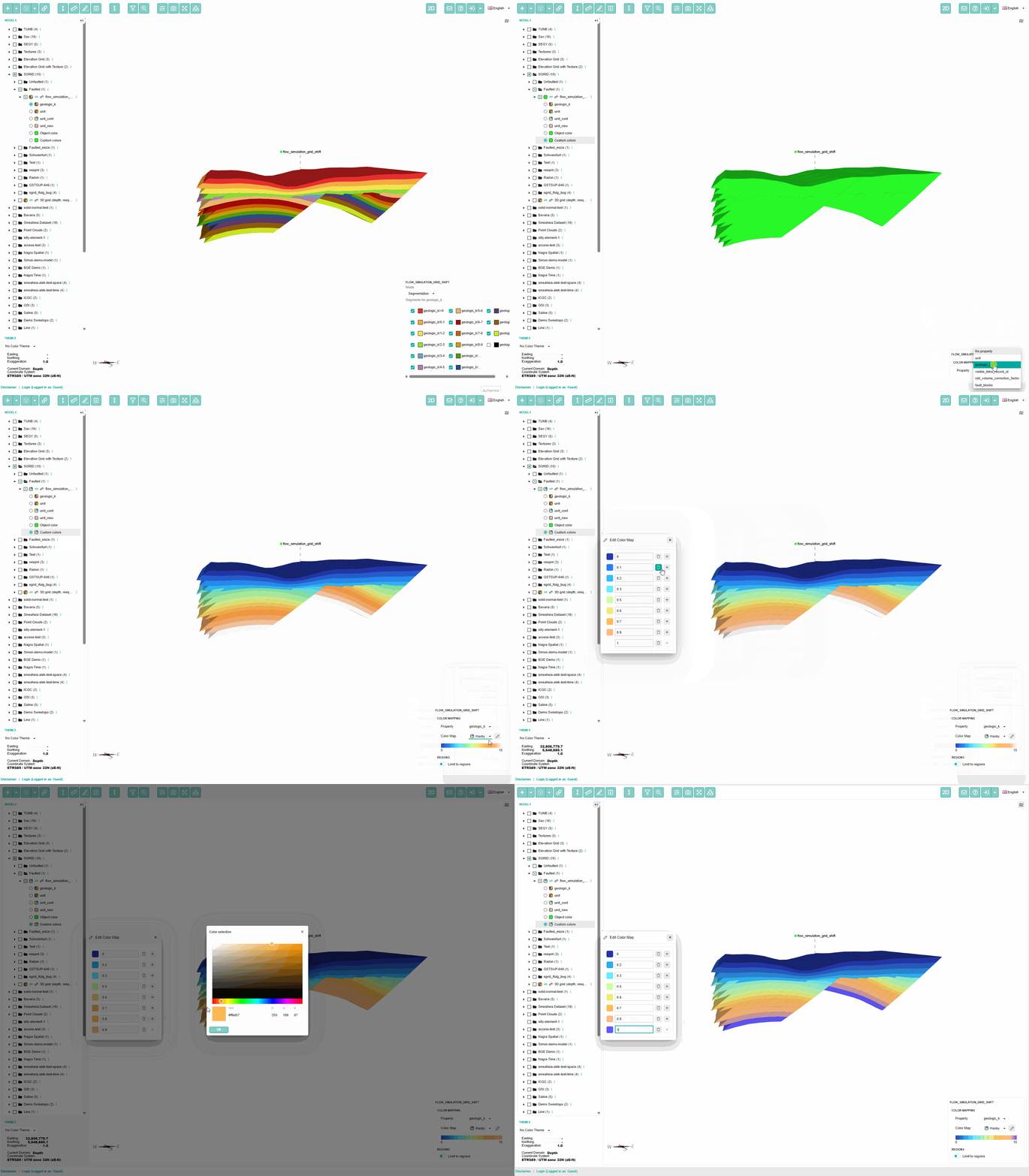
Choose from a wide range of newly predefined color schemes or fine-tune the existing ones to match your needs. No more complex adjustments in GST Desktop. No more rebuilding the geometry cache. Just faster, more flexible visualization.
Storage and Use of Regions
If you work with Gocad, chances are you rely on regions every day. They are essential for restricting computations and can be defined spatially or driven by parameter values.
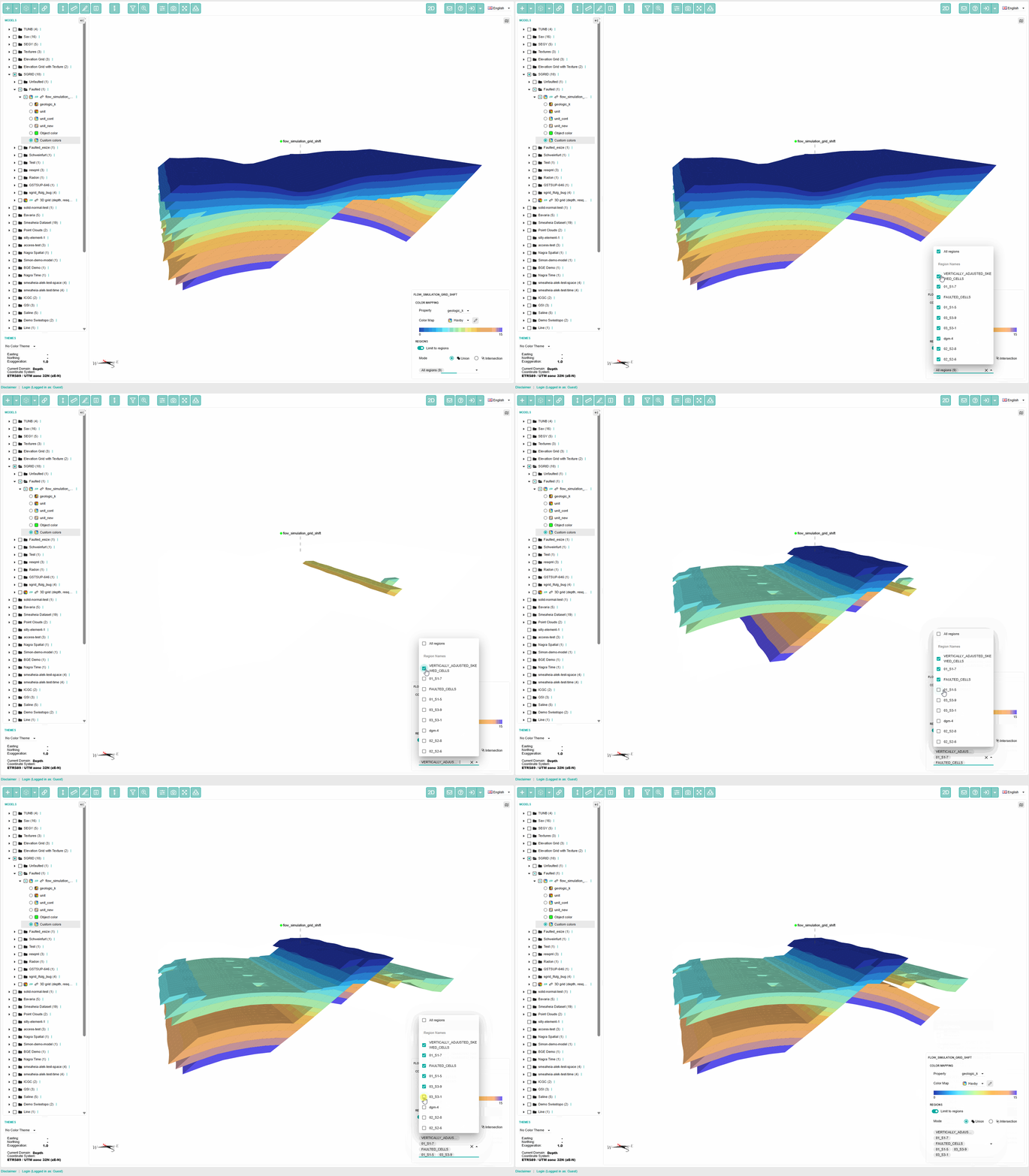
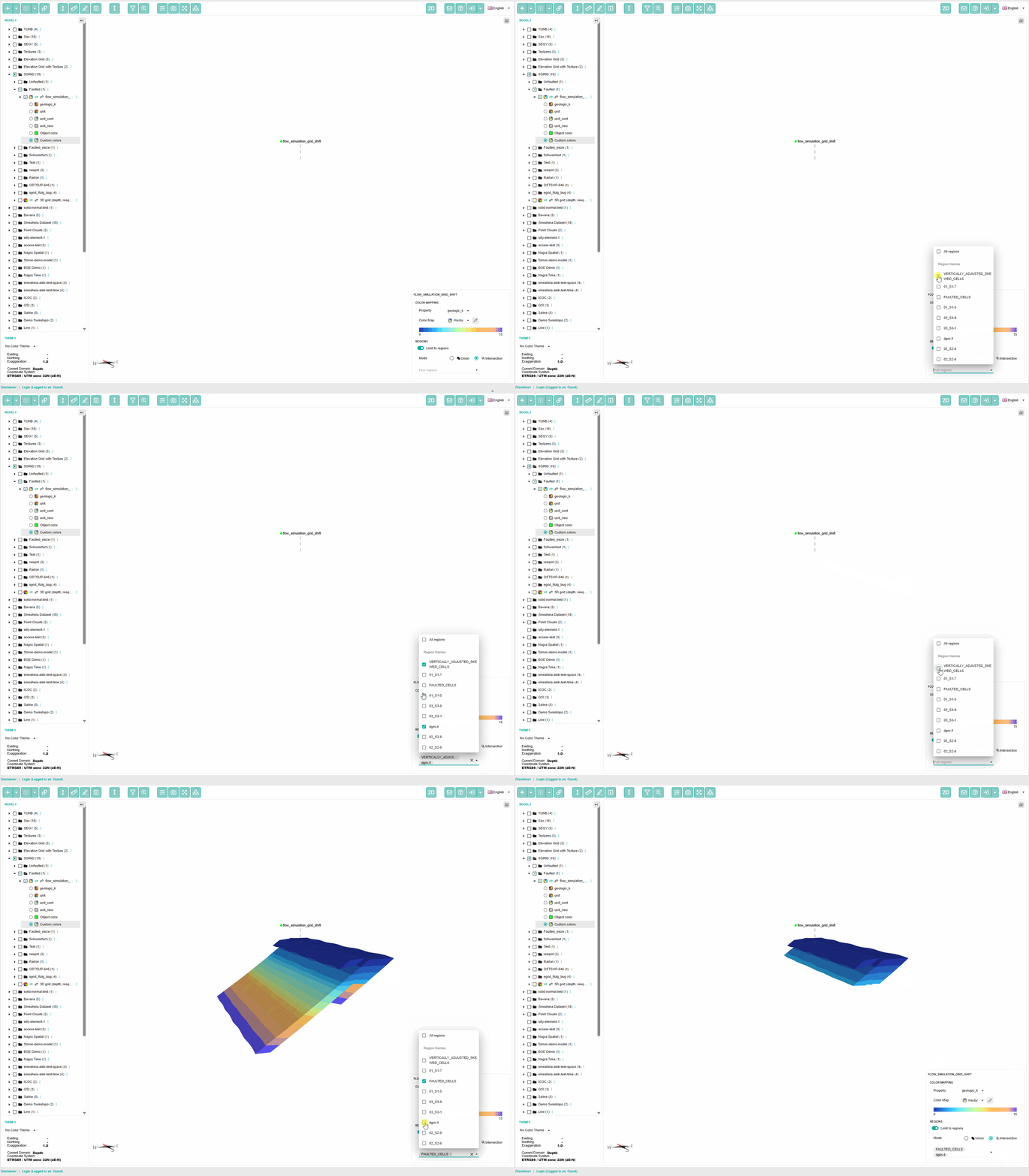
With GST 3.17, those regions can now be stored directly and used in visualization workflows. You can switch between intersections and unions of selected regions, giving you a faster and more intuitive way to focus on exactly the data you want to explore.
Performance improvements for solids
Performance matters. In GST 3.17, we have pushed solid rendering in GST Web further than before. The result is faster loading, smoother interaction, and support for even larger tetrahedra networks in a single scene.
We also improved the way feature data is delivered. By leveraging modern compression algorithms and browser capabilities, you can now provide pre-compressed feature files and significantly reduce download times, even when working with data sets measured in hundreds of megabytes.
Slicer Rotation and Model selection
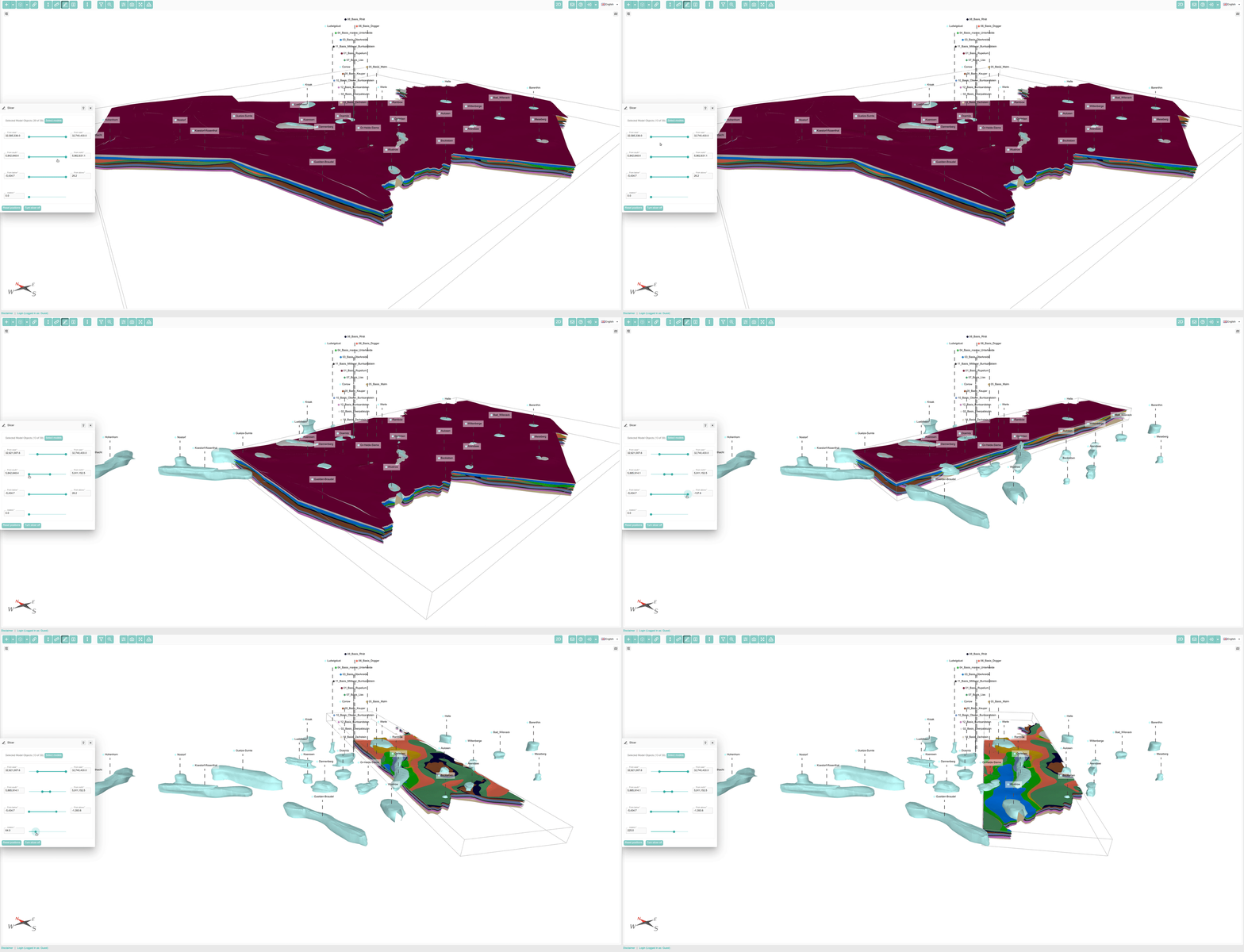
For years, GST has made it possible to slice models using an axis-aligned bounding box. With GST 3.17, the slicer becomes far more capable. You can now choose exactly which model parts should be intersected and rotate the slicer box through a full 360 degrees for dramatically greater control.
Orthocam
GST 3.17 introduces an orthographic camera mode, giving you a new way to inspect your scenes without the distortion of perspective projection. It is especially useful when evaluating buildings in relation to geology or reviewing drill holes with greater visual accuracy. You can enable it directly in the 3D scene settings.
Extended Download
Downloads often need to include more than geometry alone. Supporting documentation, disclaimers, and source references can be just as important for the end user. Until now, GST allowed only a single additional file to be bundled into the ZIP archive at delivery time.
With GST 3.17, that changes. You can now use attributes prefixed with m_additional_download
to attach arbitrary documents and files to downloads at both feature and model level. And with m_replace_download
you can even replace the downloaded geometry itself. This is especially useful when you want to display lightweight geometry in the browser while delivering higher-resolution assets on download.
Renewal of GTT
For years, many of our clients have relied on GTT, the GST Transfer Tool, to keep multiple GST instances synchronized. But the original version of GTT was built for a different generation of technology. With GST 3.17, GTT has been comprehensively renewed, from frontend to backend, so we can deliver updates more regularly and ensure compatibility with modern operating systems.
GTT 3.17 also adopts our stable API. That means it can now transfer data across different GST versions, including major releases, with far more flexibility than before.
Polygon support
For the first time, GST 3.17 adds polygon support. Line features can now be tagged as polygons, enabling polygon surface creation in several output formats, including:
- 3dtiles
- SVG
- shapefile
- geopackage.
And this is only the beginning. Future releases will expand polygon support across additional import and export formats while making polygon workflows in GST Desktop even easier.
CSV and LAS Download of boreholes
Borehole data can now be downloaded directly as CSV or LAS, making it easier to bring your data into your own modeling workflows and downstream tools.
Borehole rights
Different users need different levels of access. Because we work with a wide range of clients, we know how important it is to make specific data available only to the right audience. GST 3.17 adds fine-grained borehole rights, allowing you to provide different boreholes to different users and groups.
This means you can expose the full borehole set internally while showing only selected data externally. You can also grant dedicated users and groups access to additional content, and the same approach can be applied to borehole logs.
GST Desktop improvements
GST Desktop also receives a long list of thoughtful refinements in GST 3.17. These are not headline features, but they are the kind of improvements that make day-to-day work faster, clearer, and more enjoyable.
Among many bug fixes, these improvements include:
- The removal of
_poolfrom group names:
With GST 3.17, groups now display only their real names. The_pool
suffix is gone, while the group icon remains so you can still distinguish groups from users at a glance. - Owners have their own column:
Feature class owners are now shown in a dedicated column. This makes sorting easier and gives you a clearer view of which feature class belongs to whom. - Better Feature filtering:
Feature filtering has been significantly improved, with support for querying sub-features and more helpful auto-completion when refining filter criteria. - New Download formats:
We have added new download formats, especially for profiles. You can now export them directly as SVG and geopackage, making them easier to use in reports and external workflows. - Commit Tab Renewal:
You can now search commit messages and edit them directly. - Proxy Settings:
Not every network environment is simple. Firewalls and access restrictions are common. GST 3.17 adds proxy settings so GST can fit more naturally into your IT environment without requiring additional ports to be opened.
SGrid slicing
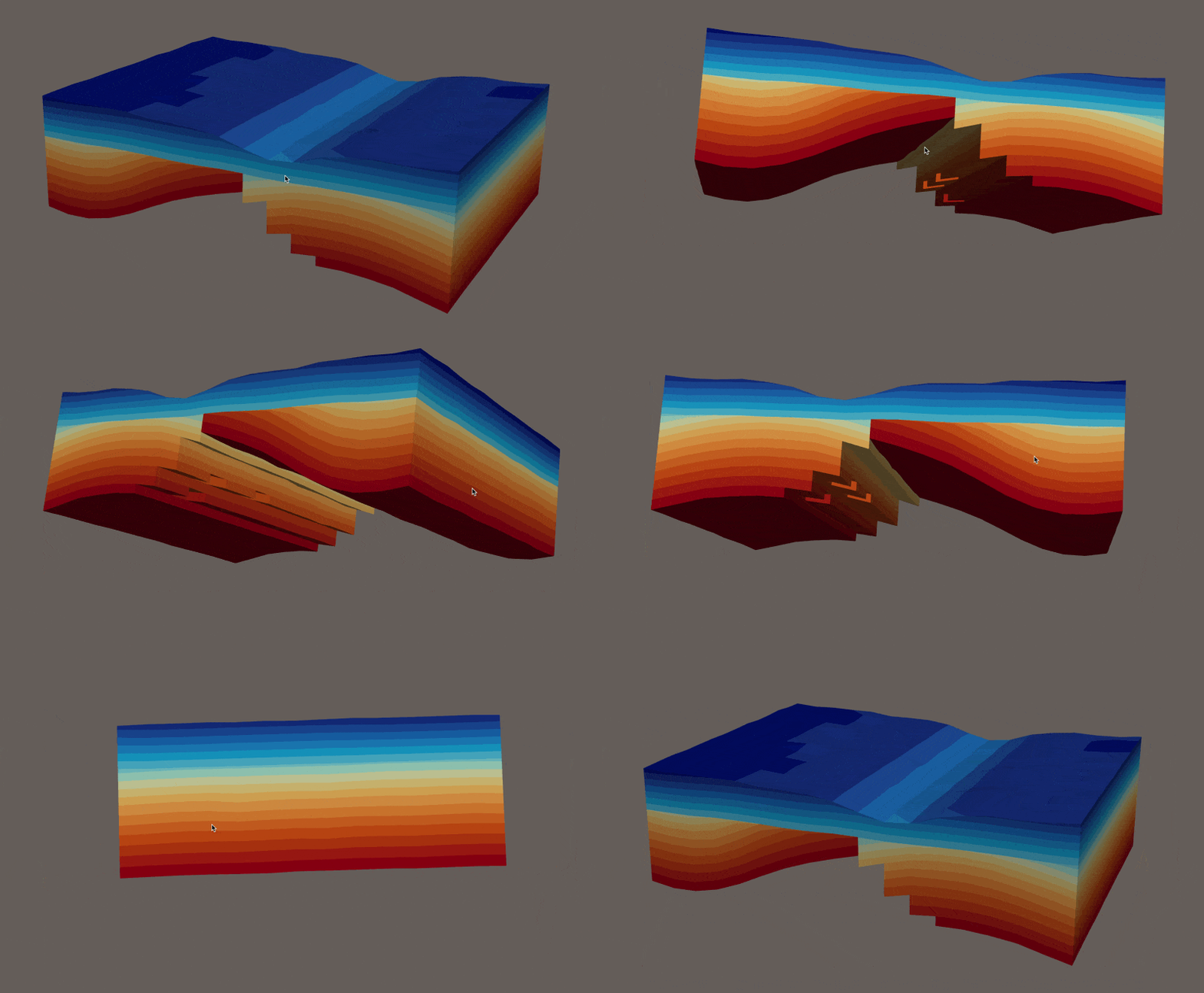
SGrids have always been unique, and now they gain a powerful new capability. With GST 3.17, GST can intersect an SGrid with equidistant sections starting from the surface. That lets you generate slices at any interval you choose, for example every 5 meters, beginning at the top and following the elevation defined by the grid.
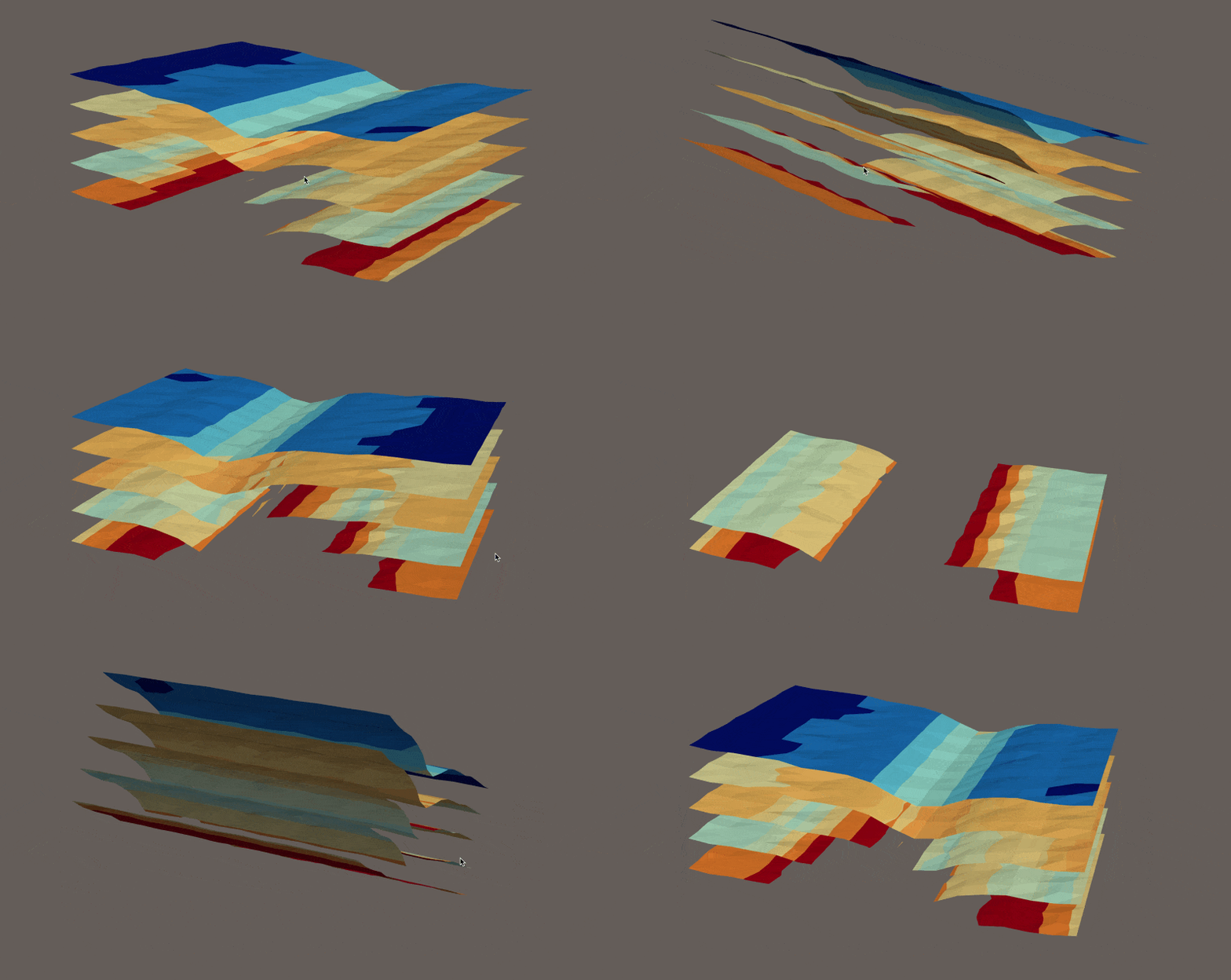
It is a practical way to move important information into workflows that are not yet fully 3D. By combining GST’s storage engine with its fast section algorithm, this feature helps you deliver the right information to the people who need it.
New Releases page
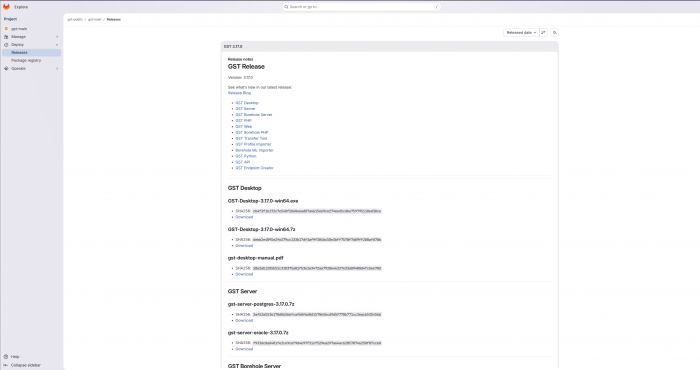
This release also marks a transition in how we deliver downloads. We will continue to provide releases through this old page for the next couple of releases. But with GST 3.17, we are also introducing a new destination for downloads: The New Release Page.
This new page will help us streamline the release pipeline, make all required packages easier to find in one place, and let you subscribe to new releases via RSS.
As always, we also fixed many smaller issues reported by our customers.
We hope you enjoy GST 3.17 and the many improvements it brings. We are committed to making GST more powerful, more intuitive, and better aligned with the way you work. If you have questions or ideas for future improvements, we would be glad to hear from you.