Release of GST 3.18
Juli 31, 2026 9:22 a.m.We are excited to introduce GST 3.18. This release brings together many of the advancements we have built throughout the first half of 2026. Some of them have already been previewed by select users. Now, they are ready for everyone.
Here is a quick list of what has changed in GST 3.18!
- Context Menu in 3d
- More user friendly dialogs
- Closed lines
- 3d Tiles Export Improvements
- S3 Support for Cache Generation
- Filter Feature Classes to Matched Features
- Better deployments
- Combined 3d and 2d Toolbar
- Start borehole creation in 3d
- Surface extraction option to the Download Dialog
- Integration of GST[AR] in GST Web
- Bugfixes and Improvements
Context Menu in 3d
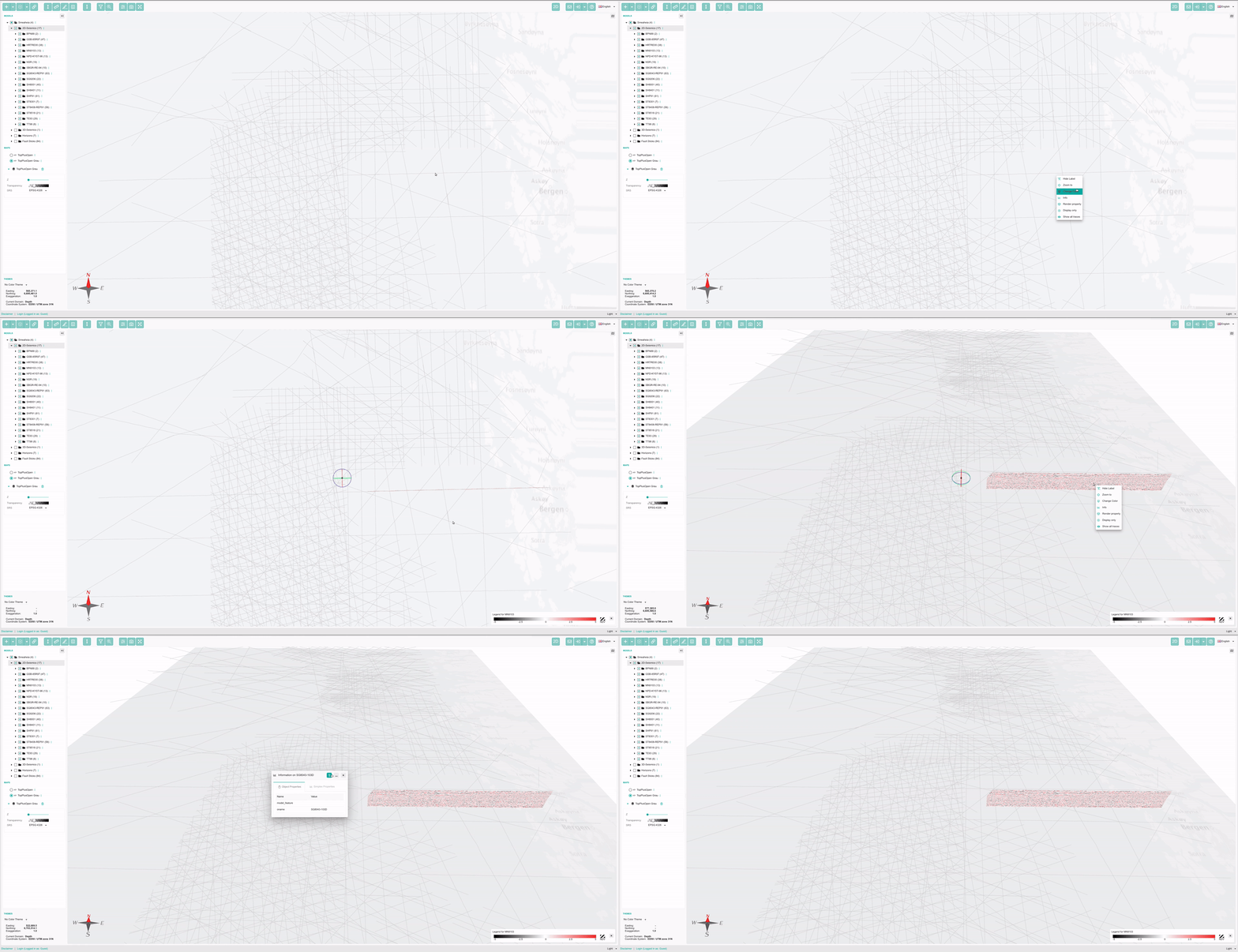
We are happy to introduce a context menu in the 3d view as well. It allows you to stay in the spatial context. Directly click on features and obtain information or change their visual representation.
This becomes especially handy if you have a multitude of seismic lines and want to select in 3d for which traces the seismic data should be shown:
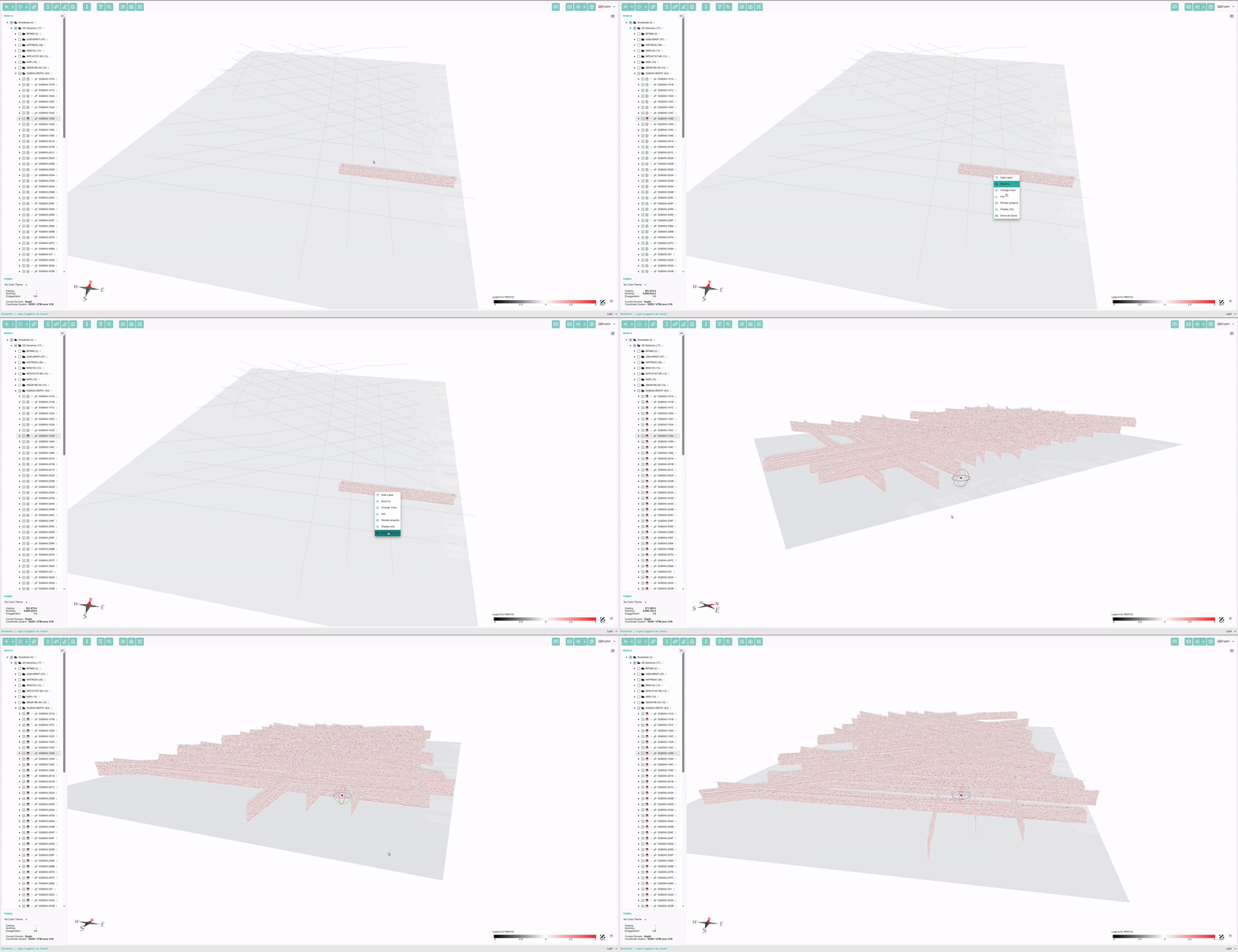
Moreover you can display the seismic data for all seismic lines without switching to the model tree:
More user friendly dialogs
We have reworked many all of the dialogs across GST Web. We improved the wording and instructions to be clearer and paid attention to be able to use everything on mobile devices.
With this release you can minimize all dialogs and restore them. Allowing you to free up screen estate for your 3d model temporarily.
The normal dialog looks for example like this:
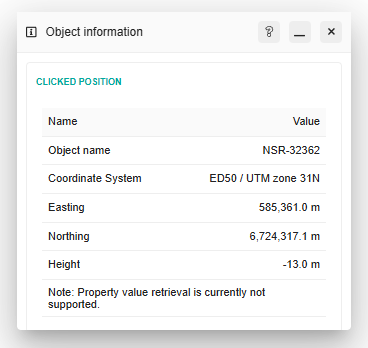
The same dialog minimized:

Closed lines
For several reasons we were removing vertices with the same coordinates from geometries upon storing them in GST. This could lead to issues with for example line geometries where the last vertex is used to define the end of the line. If that vertex has the same {x y, z} coordinates as the first vertex of line GST removed it and closed lines appeared not closed.
With this released we changed the behaviour and do not remove these vertices anymore. This allows to store closed lines as closed lines and also display them accordingly.
Moreover, this allows also du store vertices multiple times on other geometry types like triangular irregular networks (TINs) and others. With that in mind textures can be aligned properly even on steep surfaces like stone walls.
3d Tiles Export Improvements
You can now consume the output of GST in 3rd party viewers with much more information and performance gains.
We improved the our 3d tiles export to use bounding volumes allowing for a better approximation of the location in 3rd party viewers.
We’ve also added the output of slices for 3d grids and seismic data (SEGY) and more filtering capabilities.
S3 Support for Cache Generation
In GST 3.18 we have implemented the capability to store the OGC cache on S3 buckets. Doing so allows for tremendous performance gains for the end users consuming the data from the S3. While we have implemented this for the OGC API at this point, we plan do use this with GST Web also removing the bottleneck to serve all data via a single network connection. In the end this should result in even more performance when displaying high volume subsurface data.
Filter Feature Classes to Matched Features
Whenever you used GST Desktop’s filter tool the list of feature classes was still cluttered with all feature classes. This behaviour can now be controlled with a simple checkbox allowing to filter the feature classes also such that only the feature classes will be shown where features matched to your filter criteria.
We have also added the possibility to filter attribute of child features. Meaning if you use for example the Profile type quite often you can now also search for any attributes of your Profile lines.
Better deployments
All of our software now comes with the Software Bill of Materials (SBOM). and thus fulfill the requirements of modern IT infrastructure laws. The SBOM provides a list of all used libraries and dependencies stating the used licenses and versions allowing you in an audit to verify the contents of binary packages more easily.
Combined 3d and 2d Toolbar
In GST Web we allow, upon special settings, to display the toolbar all time with all available tools. Tools that are not available within a context are greyed out, meaning they are disabled. Upon switching the context other tools may become available.
Here is how the toolbar can look in the 3d context:

Here is how the toolbar can look in the 2d context:

Start borehole creation in 3d
If you took a closer look at the screenshots in prior paragraph you may have noticed that the virtual borehole icon is available in both contexts 3d and 2d. You can now set the point to start the virtual borehole creation in 3d directly. This means less context switching for the application but also less context switching for you.
Surface extraction option to the Download Dialog
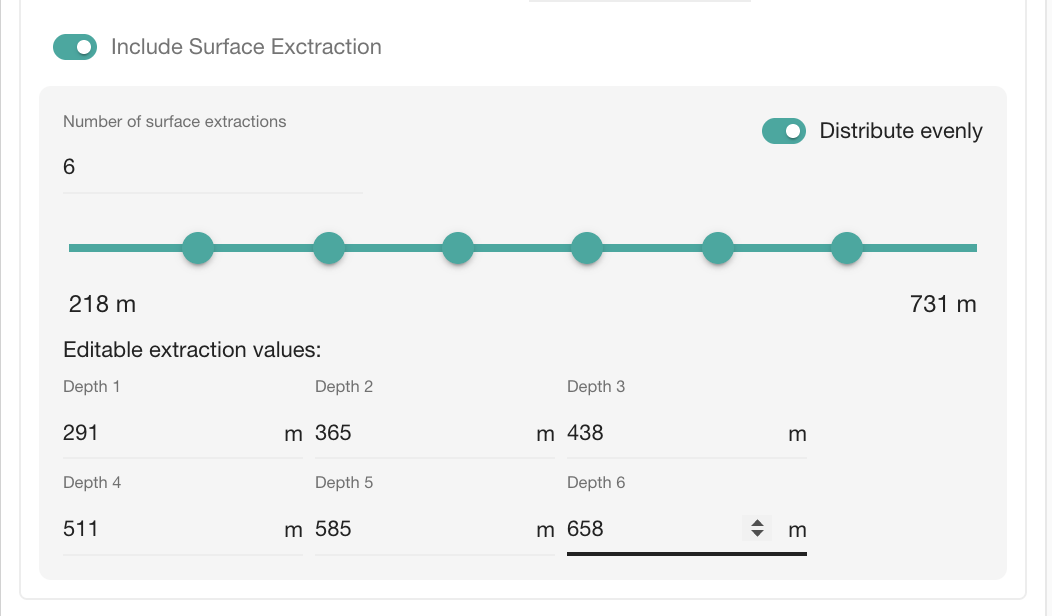
For Structured Grids (SGrids) and Regular Grids (Voxets) you can now extract surfaces at certain depths via the new GUI. This will allow you to integrate the surfaces into other software which does not understand SGrids or Voxets but is used to transport information to end users like traditional web GIS.
You can read more about the slice generation in our 3.17 release notes at our release blog.
Integration of GST[AR] in GST Web
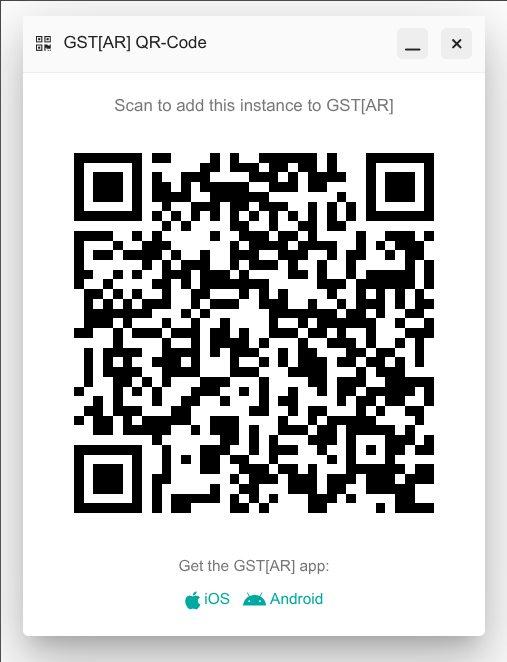
To make it easier for you and your users to use GST[AR] we have integrated a button to generate an QR code in GST Web which can be scanned with GST[AR] and adjusts all the necessary settings. Of course you can also print this QR code. This button is only displayed if the GST[AR] compatibility in GST Web has been activated.
Bugfixes and Improvements
As usual this release contains many bugfixes. Prior releasing GST 3.18 we had 6 patch releases for GST 3.17. We also took another round to apply the latest security advisories to make sure that GST does not affect your infrastructure.
We hope you enjoy GST 3.18 and the many improvements it brings. We are committed to making GST more powerful, more intuitive, and better aligned with the way you work. If you have questions or ideas for future improvements, we would be glad to hear from you.